unity-cli-bridge
A downloadable tool for Windows and macOS
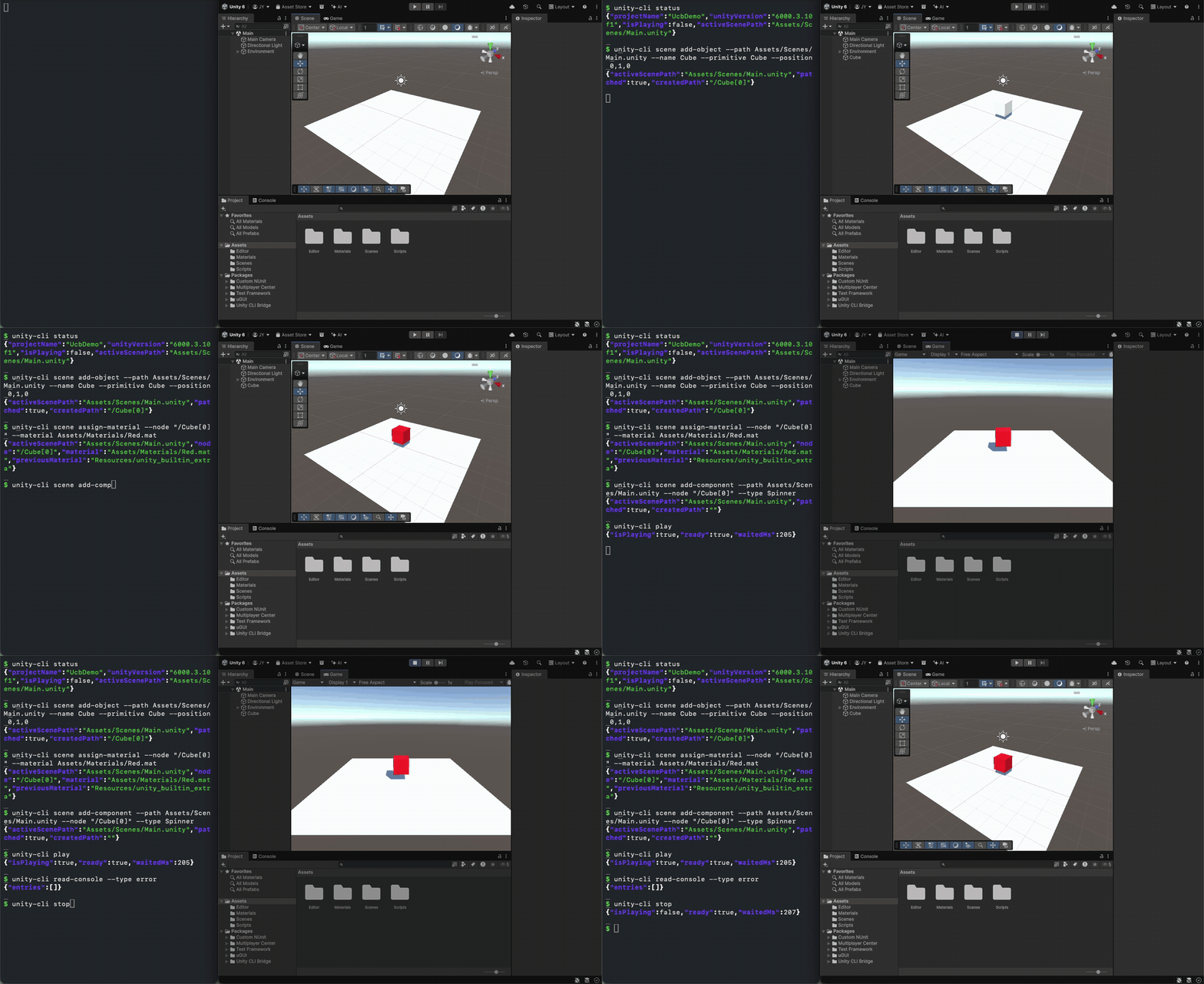
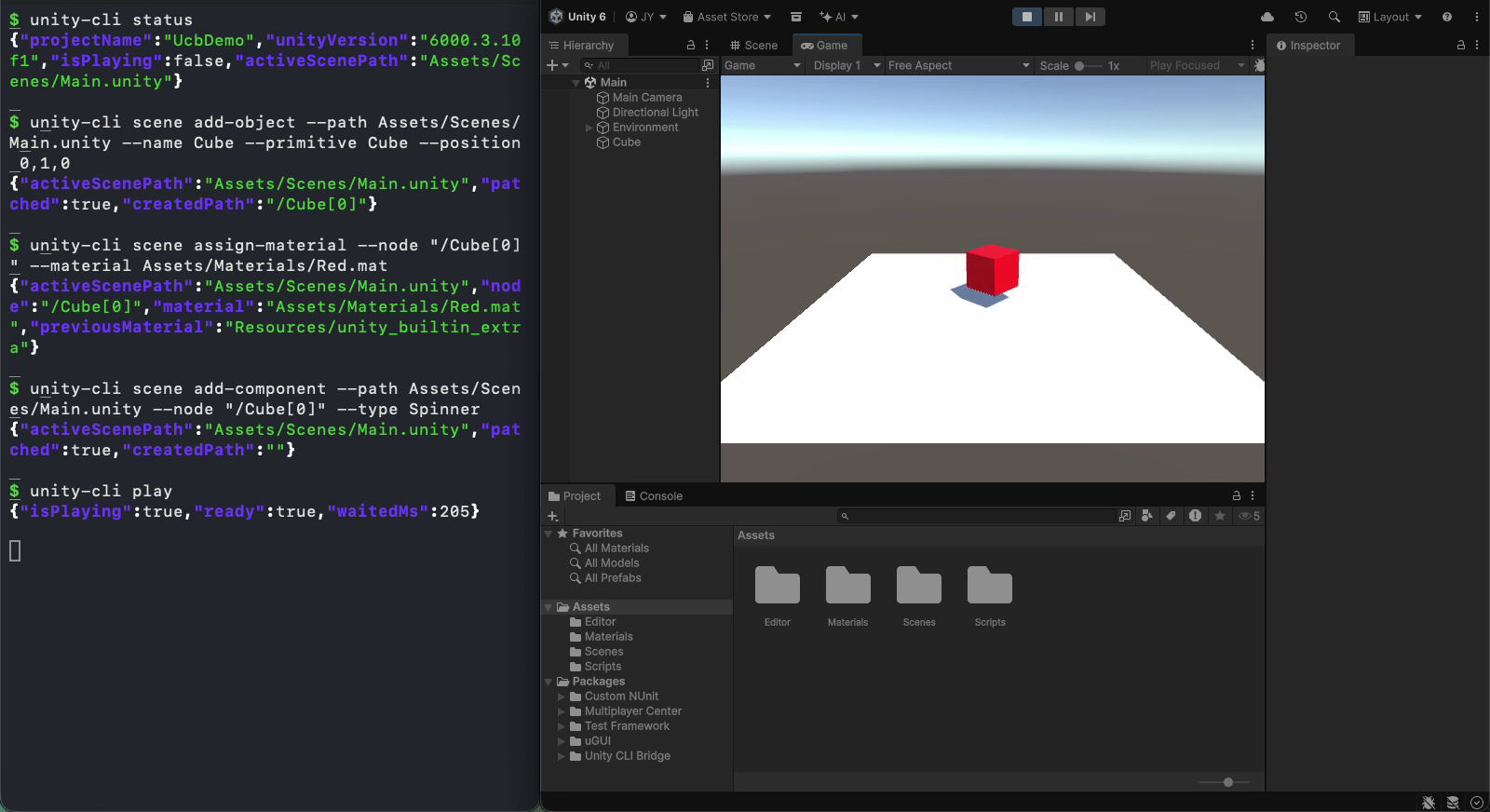
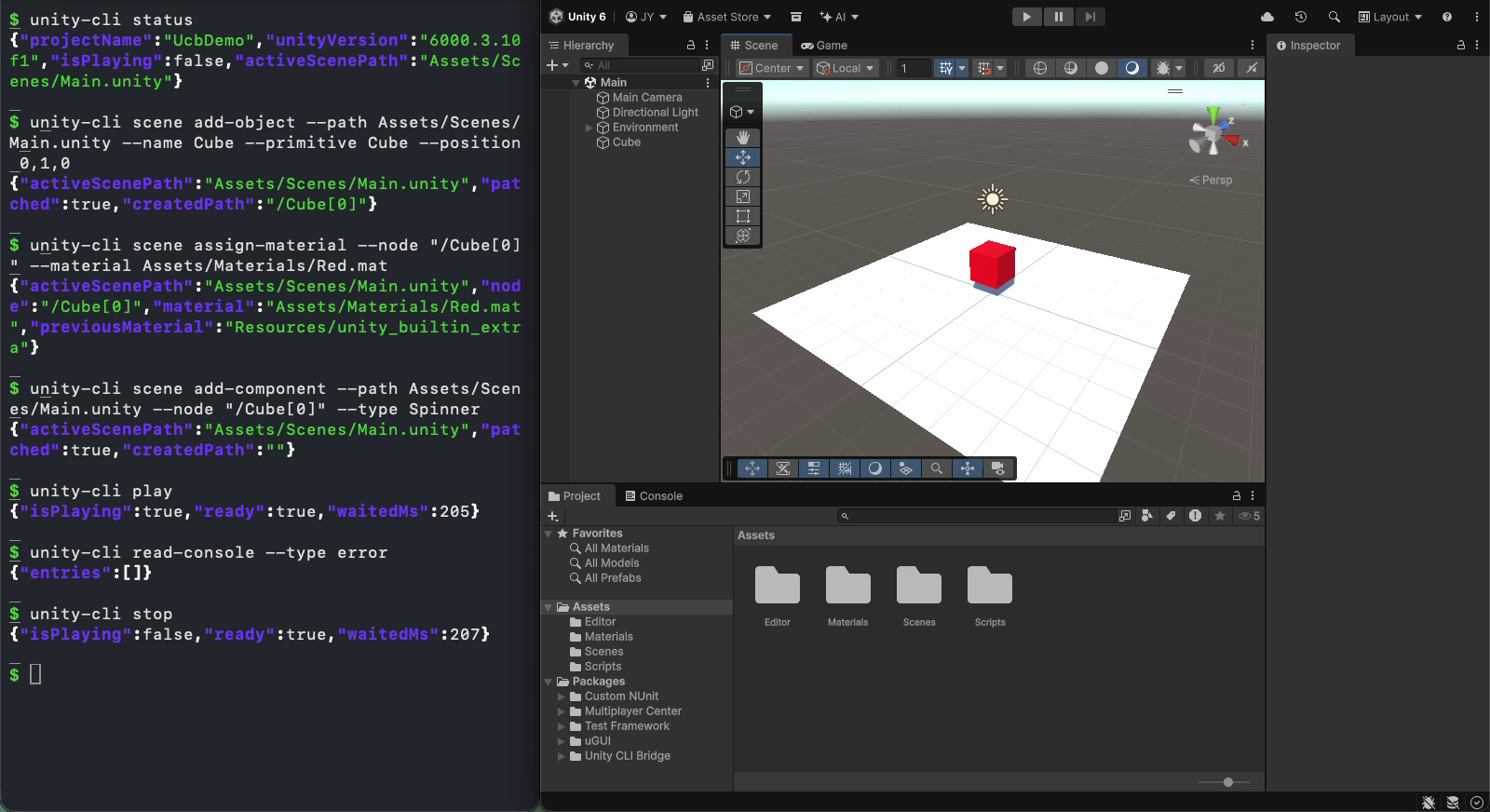
20 seconds, real commands from the v0.5.7 CLI: create a cube, assign a material, add a script, enter Play Mode, check the console, stop. JSON output is shortened for display. The demo project has domain reload turned off, so Play Mode starts a little faster than in a default project.
unity-cli-bridge is a command-line interface for the Unity Editor. It gives you declarative commands for scenes, prefabs, materials, assets, packages, the Test Runner, Play Mode QA and profiling. Every command returns JSON on stdout.
It's built for people who script the Editor from a shell or CI, and for AI coding agents that work through a terminal, such as Claude Code, Codex and Grok Build. An agent skill ships with the project. It teaches the agent to pick the right command, inspect before patching, and check read-console after changes.
This is a small personal side project, shared here as a showcase. It's free and open source (Apache-2.0).
How it works
CLI ──── local IPC ──── Unity Editor (bridge)
         (named pipe on Windows, Unix socket on macOS)
- One hop. You add a Unity package, and a small bridge starts when the Editor opens. The CLI talks to it directly. There's no extra server process and no port to configure.
- Declarative, not imperative.
scene add-object --primitive Cube --position 3,0,0instead of writing C#. The caller picks options, not APIs. - Structured results. Every command returns JSON right away, so there's no polling and no log scraping.
- Small output for agents.
--output compactand--omit-defaultskeep responses short. - Safe by default. Destructive commands need
--force. Scene and prefab patches and asset overwrites keep a backup underLibrary/com.yhc509.unity-cli-bridge/backups/.
What you can do
- Editor lifecycle:
editor launch(headless by default, with the GPU kept so screenshots still work;--guifor a window) andeditor stop - Editor control:
status,play/pause/stop,compile,refresh,screenshot,read-console,execute-menu, plusexecuteto run C# when no dedicated command fits - Scenes:
scene open,scene inspect,scene add-object,scene set-transform,scene assign-material,scene add-component/remove-component, and spec-basedscene patch - Prefabs:
prefab create,prefab inspect(model files such as.fbxtoo),prefab patch, and adding or removing components - Assets, materials, packages:
asset find/info/create/move/delete,material info/set,package list/add/remove/search - Test Runner:
test list,test run(EditMode and PlayMode),test results, with--failures-only - Play Mode QA:
qa ui-dump,qa world-dump,qa click,qa tap,qa swipe,qa key,qa wait-until, and multi-stepqa run-sequence - Recording:
record start/stopcaptures Play Mode as mp4 (needs Unity Recorder 3.0.0 or newer) - Profiling:
profile stats,profile capture,profile analyze,profile compare, and memory reports withprofile memory/profile memory compare
Every command accepts --help. The full list is in the CLI reference.
Requirements
- Unity: 2021.3 LTS or newer, including Unity 6. Checked on 2021.3.45f2 and 6000.3.10f1.
- CLI builds: macOS Apple Silicon (arm64) and Windows x64 (tested less often). There's no Intel Mac or Linux build.
- A running Editor with the package loaded.
unity-cli editor launchcan start one for you. - Optional: Unity Recorder 3.0.0 or newer (only for
recordandqa run-sequence --record), Input System, and Memory Profiler (only forprofile memory snapshot).
Install
1. Add the Unity package. Pick one:
- .unitypackage (from this page): download
com.yhc509.unity-cli-bridge-0.5.7.unitypackageand choose Assets > Import Package > Custom Package… in Unity. It imports as a package underPackages/com.yhc509.unity-cli-bridge/. - Git URL (easier to update): in Package Manager, choose Add package from git URL and paste:
https://github.com/yhc509/unity-cli-bridge.git?path=/unity-package/com.yhc509.unity-cli-bridge#v0.5.7
Use#maininstead of#v0.5.7to track the latest release.
The bridge starts by itself when the Editor opens. No configuration is needed.
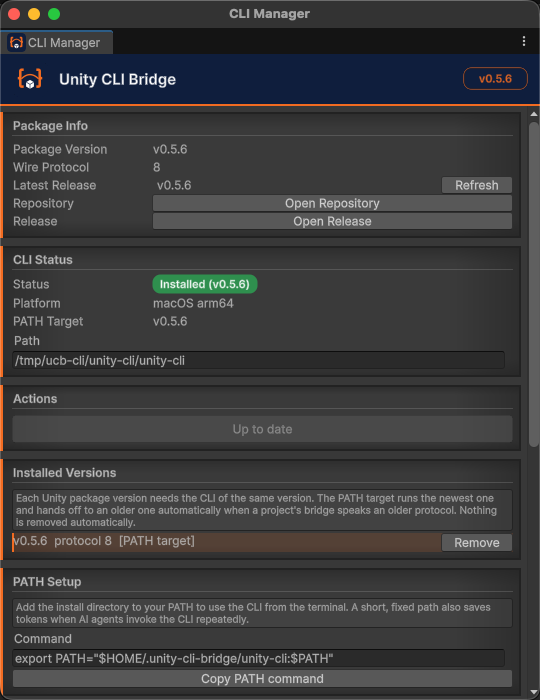
2. Install the CLI from the Editor. Open Window > Unity CLI Manager and click Install CLI. It downloads the CLI that matches the package version from GitHub Releases and installs it under ~/.unity-cli-bridge/. Then add ~/.unity-cli-bridge/unity-cli/ to your PATH. The PATH Setup section has a Copy PATH command button.
You can also use a CLI archive from this page (unity-cli-osx-arm64.tar.gz or unity-cli-win-x64.zip): extract it and put the binary on your PATH. The CLI Manager install is recommended, because a hand-placed binary carries no version information.
3. Run a first command:
unity-cli status --project /path/to/your-project --json
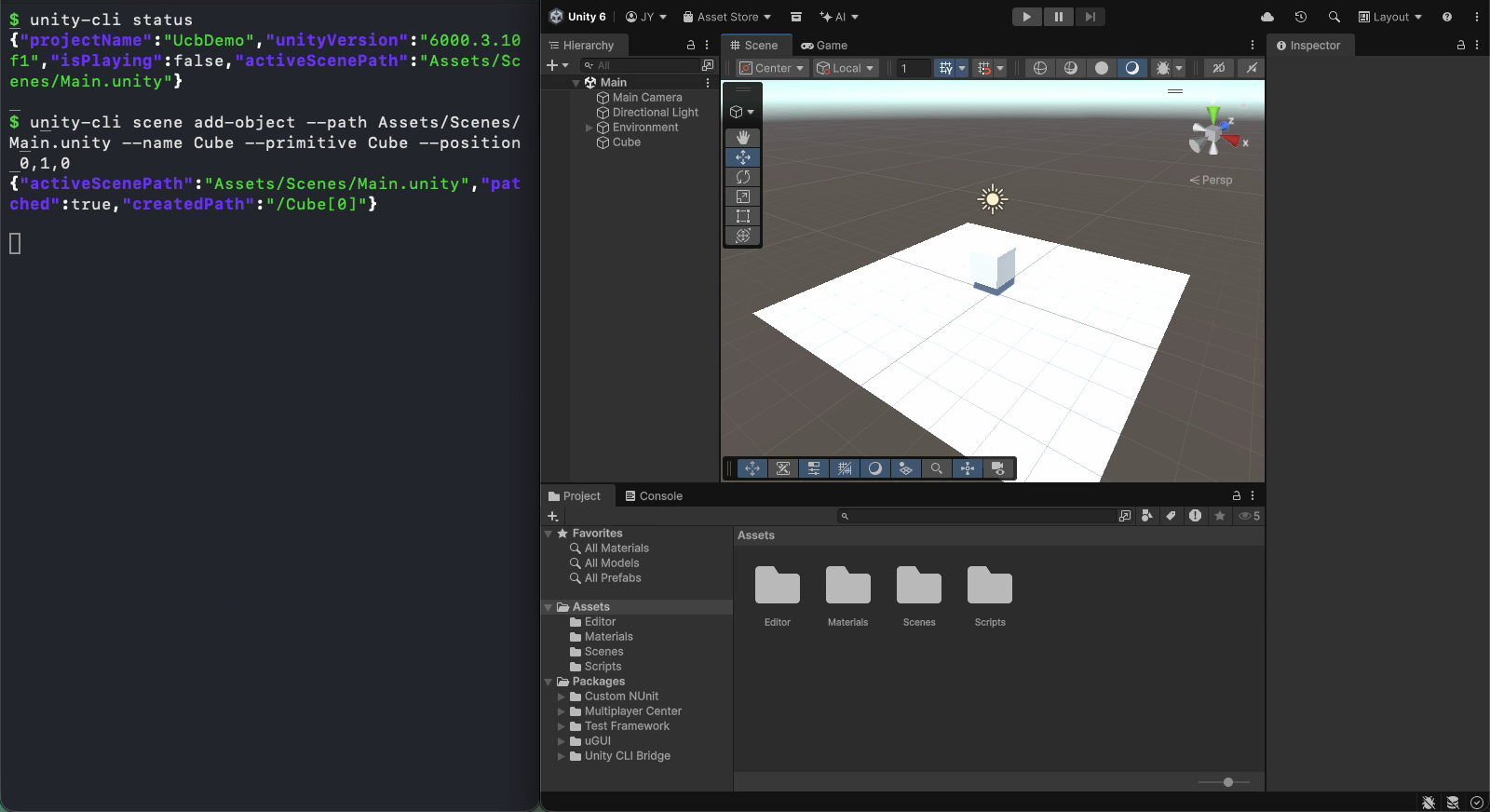
unity-cli scene add-object --path Assets/Scenes/Main.unity --name Cube --primitive Cube --position 3,0,0
unity-cli read-console --type error
Optional: add the agent skill. For Claude Code:
/plugin marketplace add yhc509/unity-cli-bridge
/plugin install unity-cli-bridge@unity-cli-bridge
The Codex and Grok Build commands are in the README, and the CLI Manager window shows them with Copy buttons.
Benchmark
I gave an AI agent (Claude Code) the same four tasks on a mid-sized Unity 6 URP project, once with each of four Editor tools: unity-cli-bridge, the official Unity CLI, and two community tools shown as Tool A and Tool B. A hidden verifier checked every run.
- When C# was allowed (three tasks), all four tools passed every run. Most time differences were within run-to-run noise, and cost tracked how much context each tool loads up front.
- On the commands-only scene task (no C#, 5 runs per tool), unity-cli-bridge passed 5/5 with a mean of 119.9 s (median 84.7 s) and $0.465 per run, about half the time and cost of the next tool. The official Unity CLI and Tool B also passed 5/5 (224.1 s / $0.897 and 216.2 s / $1.977). Tool A passed 4/5.
- That result came after fixes found by this benchmark. PR #205 changed what
scene inspectreports and shipped the patch spec with the skill. Before it, unity-cli-bridge averaged 332.8 s and $1.127 on the same task (2 runs). - It isn't always ahead. Tool A runs code about an order of magnitude faster per call (about 19 ms, versus about 0.5 s for a new
executesnippet here), and it was fastest on two of the C#-allowed tasks.
I wrote and ran this benchmark myself and fixed my own tool between rounds, so keep that bias in mind. The samples are small (3–5 runs per task).
Full tables, method, excluded runs and limits: Benchmark v0.5.6 on the wiki
Known issues
scene set-transformresets the fields you leave out. For example,--rotation 0,30,0alone also sets position and scale to 0. Pass position, rotation and scale together for now. (#210)read-console --type errordoesn't include Exception entries. (#208)
Maintenance
unity-cli-bridge is a personal side project, maintained on a best-effort basis in my spare time.
- Supported: Unity 2021.3 LTS and newer, on macOS (Apple Silicon). Windows x64 builds are published but tested less often.
- Bug fixes and compatibility with new Unity versions come first.
- Issues and pull requests are welcome, but there's no guaranteed response time.
- Large feature requests may be declined if they don't fit the project's scope.
- Forks are welcome under the Apache-2.0 license.
Please report bugs on GitHub Issues rather than in the itch comments, so they don't get lost.
Links
- Source and docs: github.com/yhc509/unity-cli-bridge
- Release notes: v0.5.7 · CHANGELOG
- Benchmark: Benchmark v0.5.6 on the wiki
- X: https://x.com/yhkk_dev
License
Apache License 2.0. The files here are the same as the GitHub v0.5.7 release assets, which are free.
It's free. If it saved you some time, you can pay what you want, but there's no need to.
Download
Click download now to get access to the following files:
Development log
Leave a comment
Log in with itch.io to leave a comment.